Personal datas
This page is intended for international marshals. If you're a Belgian marshal, please see this page
This page will explain to you how to modify personal data linked to your profile. These data are important to validate your participation and allow us to contact you easily.
To access your information, click on the menu "Marshals Management" on the top bar.
You will arrive on your information page. We will see together each tab of the form and which data are mandatory or optional.

Identity
Contact information's
Your email address is in read-only and directly linked to your account. To adjust it, please contact us at app@racbtm.be.
Just below, you will have your active phone number. To add one, click on the "Add" button on the top left of the zone and then complete the form. If you need to remove an old one, click on it, put an end date into the form, and save. It will be automatically removed from the list.
Postal addresses
Please complete your postal information in this subform. Create an entry by clicking on the "Add" button and complete your address. If you need to delete an old one, click on it to edit and put an end date at the end of the form. It will be automatically removed from the list.
Foreign license
Foreign license will contain all your licenses. Each year, you will have to go on this tab and put the new license for the current year.

To add a new one, click on the button "Add" on the top left of the form. It will open a subform where you may add your license.

Enter your license number, year of validity, and country of emission. In the last field, please upload a copy of your license and, if applicable, a copy of your ASN authorization.
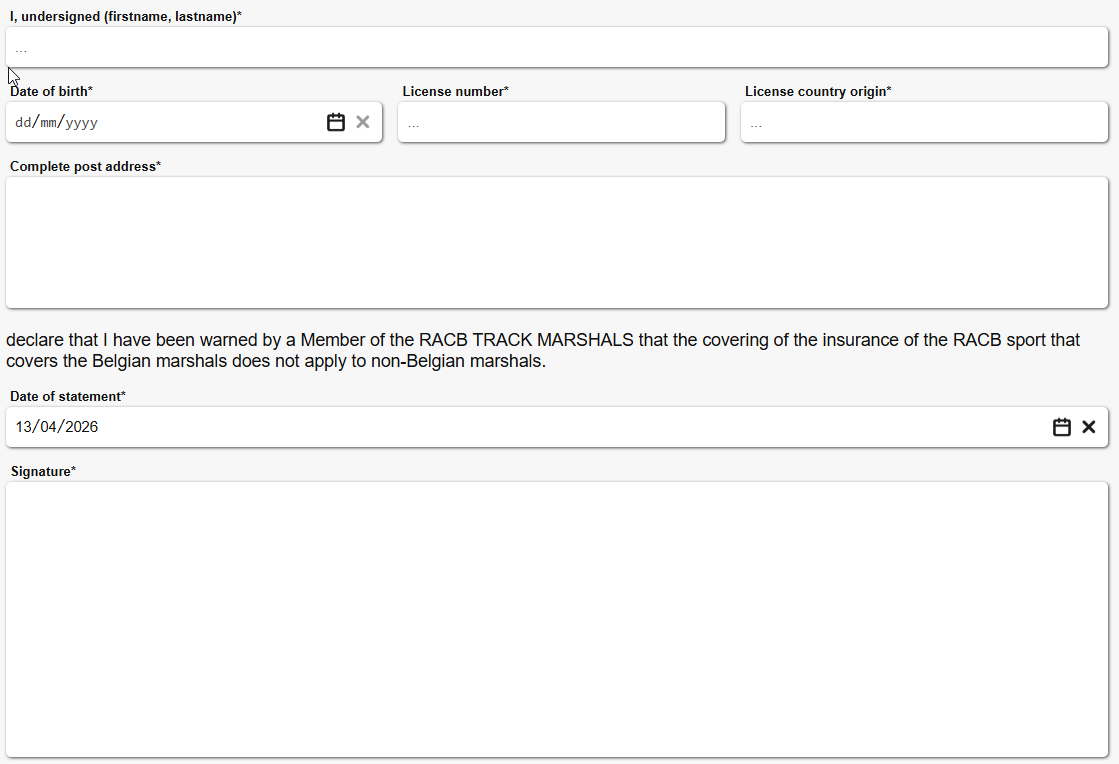
In the second tab you will have the mandatory "Insurance Statement", you must complete it with your information. When it's done, please click on the "Save" button at the top of the form.
When added, your license will be validated by a member of the RACB Track Marshals office, and if applicable, restrictions will be applied to your license.
Membership
This tab is in read-only. Under certain conditions, you may be assigned directly to a team of Belgian marshals. You can track your history on this page.
Miscellaneous
This tab contains a field to enter your bank account and an ICE section.

Create a new ICE entry by clicking on the button "Add" in the top left corner of the field. As for your personal address, complete the form and click on "Save". If you need to delete an older one, click on it and put an end date in the last field.
Mail history
This tab is in read-only. It will contain all mail sent to your address.
Notebook
This tab is in read-only. It will contain all notes about you.
Presence history
This tab is in read-only. It will contain your presence history and at which event you have participated.